SmartHub: add additional user
CoServ has made adding users to your SmartHub account easy, so that each user has their own login information. Just follow the instructions below.
Please note: By adding a user, they can make changes to your account from SmartHub, like updating contact information, submitting requests, and other essential changes. However, this does not add the individual to your CoServ Account or monthly billing statement.
Add authorized user:
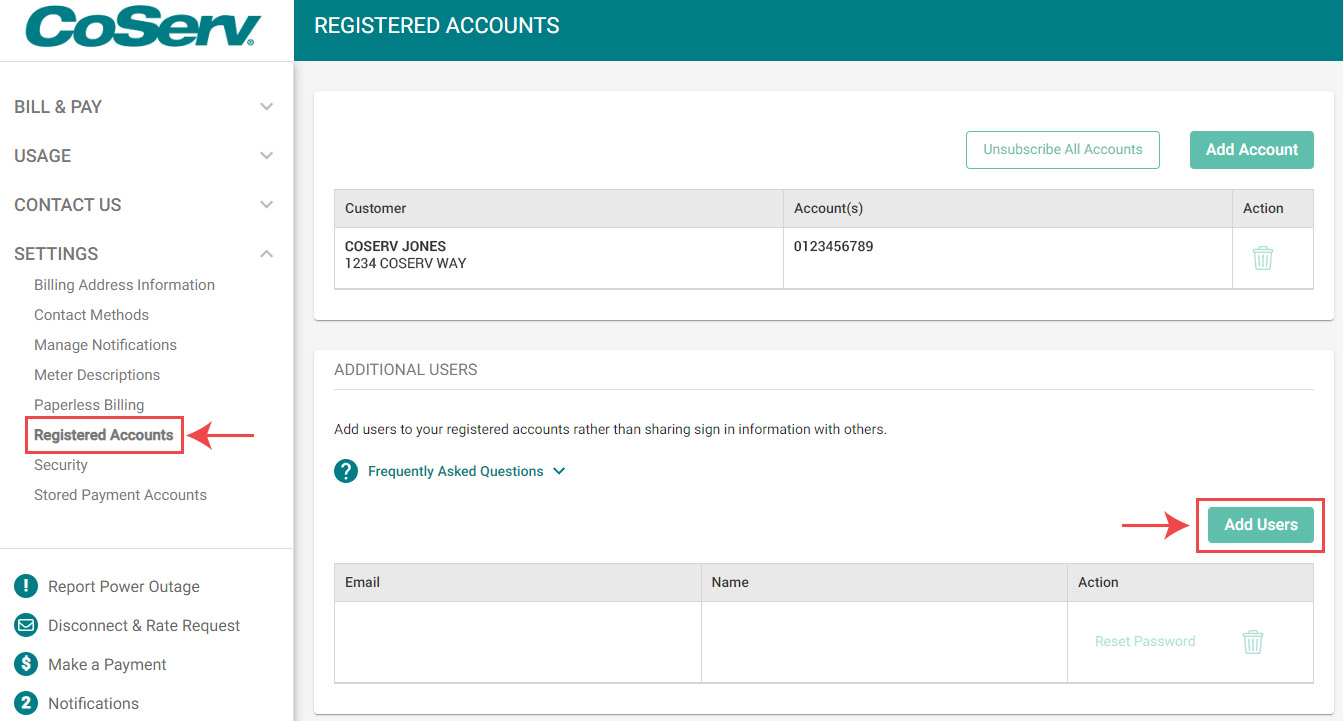
- Click on 'Settings'
- Click on 'Registered Accounts'
- Click on the 'Add Users' button
-
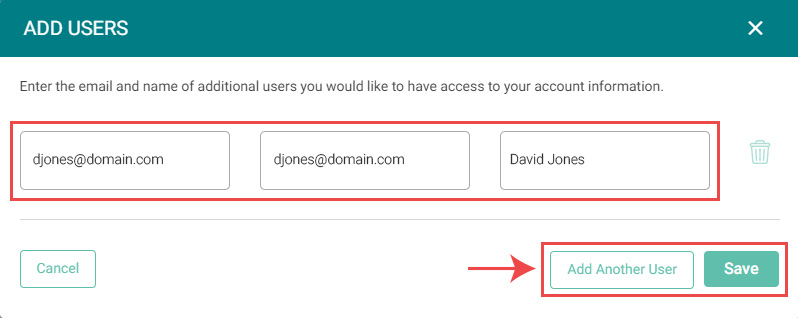
Enter the email and name of additional users you would like to have access to your account information.
- The new user will receive an email with a link that prompts them to 'Verify your account'. The email will include a link that will prompt them to create a password.
- Visit the SmartHub login screen to finish setting up the account.
Manage authorized users:
- Click on 'Settings'
- Click on 'Registered Accounts'
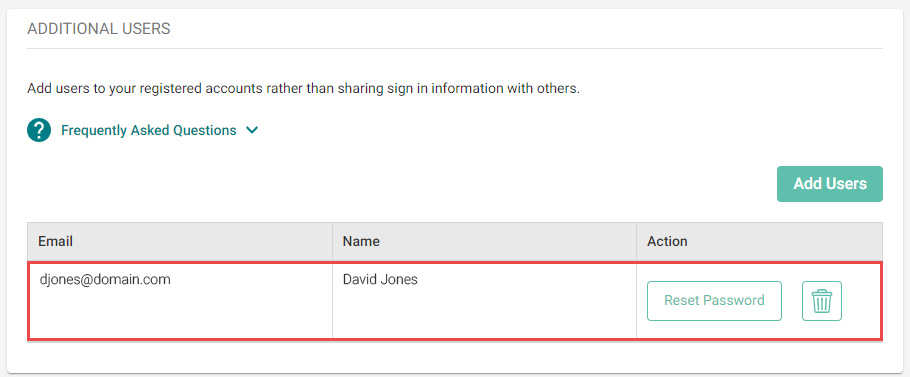
- You can send a 'Reset Password' email or delete users using the 'Additional Users' module.